
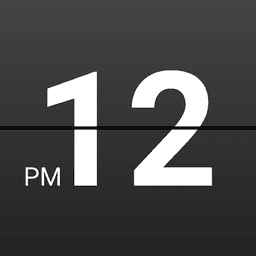
Screenshots
About Retro Clock Widget
Add a stylish retro clock widget to your home screen and bring classic mechanical charm to your Android device. Retro Clock Widget is a beloved home screen widget that has earned millions of downloads since its early days in the Android ecosystem, delivering timeless design with modern functionality.
Your home screen gains an elegant, flip-clock-inspired display that shows both time and date in a distinctive retro aesthetic. The widget instantly transforms your device's look with authentic mechanical clock styling that stands out from standard digital displays. Beyond its visual appeal, the widget serves as a functional shortcut to your system's alarm clock and calendar applications—giving you quick access to these essential tools right from your home screen.
Customization puts you in control of how your widget looks. Using the companion Retro Clock Settings app, you can adjust colors, transparency levels, and shortcut destinations to match your personal style and preferences. Whether you prefer vibrant tones, subtle neutrals, or semi-transparent designs, the settings let you fine-tune every detail.
Adding the widget to your home screen takes just a few taps: long press an empty area of your home screen, select Widgets, and tap Retro Clock or Retro Clock Date to place it. The compact size and intuitive design make it a perfect fit for any home screen layout.
Experience the nostalgia and functionality that has made Retro Clock Widget a trusted choice for Android users worldwide. Download it today and discover why this classic widget remains a favorite.
Pros & Cons
Pros
- Flip-clock aesthetic instantly transforms your home screen look
- Quick shortcuts to alarm clock and calendar from widget
- Extensive customization options for colors and transparency levels
- Lightweight widget with proven track record across millions of devices
Cons
- Requires a separate companion app to access customization settings
- Widget functionality limited to time, date, and app shortcuts only
- No mentioned support for always-on display or lock screen placement
- Appearance may look dated on modern minimalist home screen designs
Frequently asked questions about Retro Clock Widget
Is Retro Clock Widget safe to download?
A malware scan report for this version of Retro Clock Widget is not available on Unstore yet. Only install files from sources you trust and keep your device's security protection turned on.
What are the system requirements for Retro Clock Widget?
Retro Clock Widget runs on Android. It requires Android 4.2 (Jelly Bean) or later. The download size is 220 KB.
What is the latest version of Retro Clock Widget?
The latest version of Retro Clock Widget on Unstore is 3.1. It was last updated on May 22, 2026.
Who develops Retro Clock Widget?
Retro Clock Widget is developed by Roman Nurik.
Related Apps

AlienGUIse
Desktop themes and manager for Windows — transform your system with 5 futuristic designs.

SharpKeys
Remap keyboard keys to launch apps, media controls, and custom commands on Windows.

RocketDock
Desktop launcher for Windows — quick access dock with customizable icons and positioning.

Custom Resolution Utility (CRU)
Display resolution utility: Create custom resolutions for your monitor with precise refresh rate control.

Lagguy Wallpapers
Lagguy
4K & HD wallpapers for Android — minimal, abstract, nature, AMOLED designs with lifetime access

Lock Screen OS
Apps Genz
Customize your lock screen with widgets, photos, and notifications. Replace Android's default lock screen.
Latest Articles

Play a free Color Ball Sort Puzzle-style game in your browser (no download)
Oct 6, 2026

Play a free Beach Buggy Racing-style kart racer in your browser (no download)
Oct 6, 2026

Play a free Alto's Adventure-style game in your browser (no download)
Oct 6, 2026

Free online whiteboard like Jamboard: use Quickboard in your browser, no signup
Oct 6, 2026

Free online running pace calculator: splits, race predictor and daily challenge, no download
Oct 6, 2026